City of Napa Staff Legistar Files Module Training - January 27, 2025
STREAMING COPY IN PREPARATION — RECORDING AVAILABLE FROM THE ORIGINAL SOURCE
City of Napa Staff Legistar Files Module Training - January 27, 2025
This training session, conducted by Granicus consultant Carolyn, covered the use of the Legistar Files module for City of Napa staff members Tiffany, Sam, and Natalia. The focus was on improving the efficiency of file creation, document management, template usage, attachment handling, and report generation. Several process improvements and new feature enablements were discussed and agreed upon.
Discussion Items
- Searching and Creating Files: Carolyn demonstrated how to search for files by ID, date range, type, and status; how to create new files and use the auto-numbering system (resetting the suffix for 2025 to "2025" with leading zeros).
- Agenda Date and File Status: The agenda date field is required; it locks to scheduled meeting dates. File statuses (Draft, Agenda Ready, Approval, etc.) were reviewed, and the concept of version control was discussed.
- Staff Report Template: The team reviewed the Microsoft Word integration for staff reports. They discussed customizing the template with instructional text, content control boxes, dropdown menus (e.g., for department head names), and pre-built tables for financial impacts. Carolyn offered to create a table-enhanced template after consulting with the Finance department.
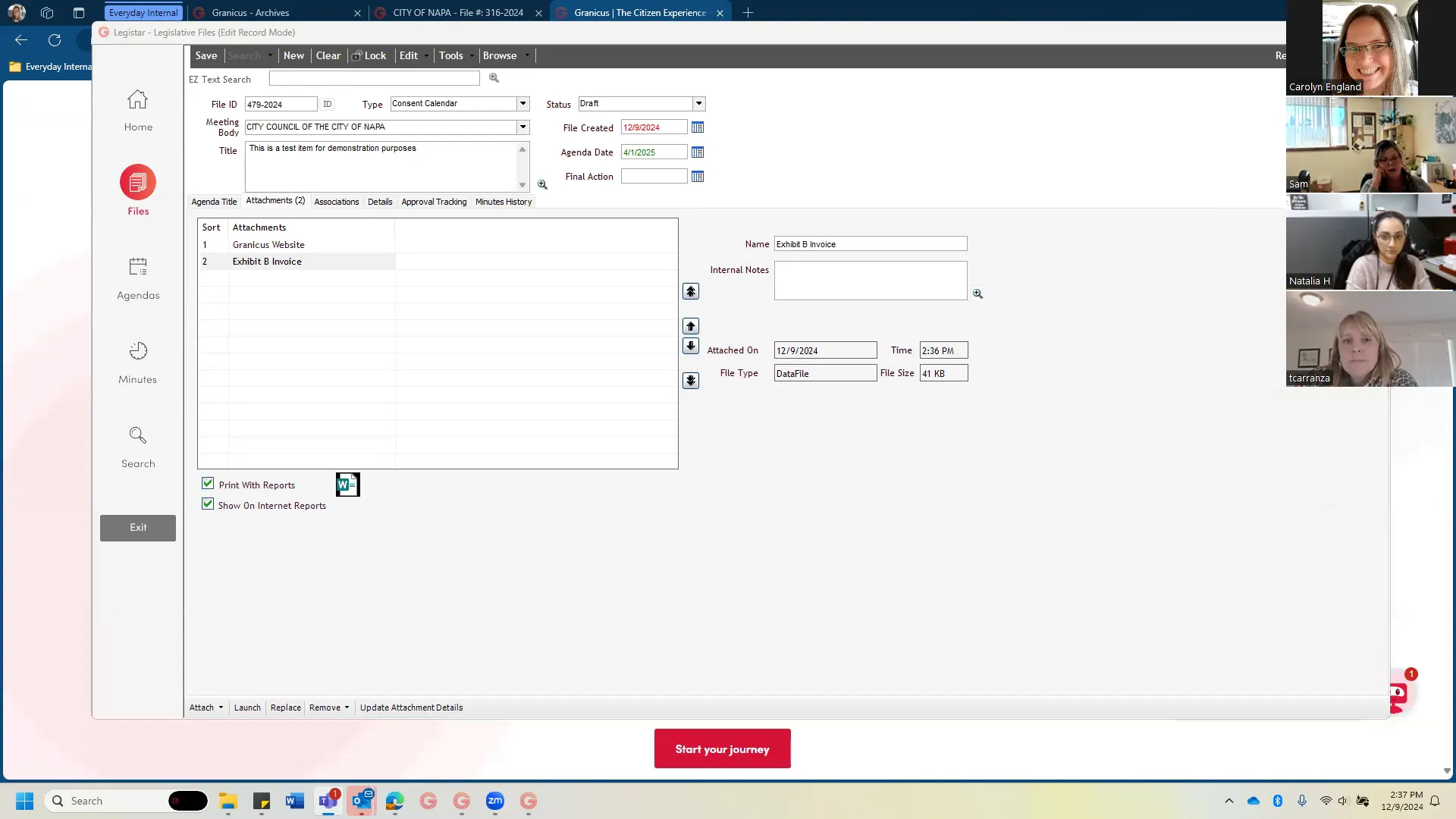
- Attachments and Public Comments: Carolyn explained how to attach files (including hyperlinks and images), the 100 MB size recommendation, and the handling of track changes. The team discussed a more efficient workflow for public comments received by email: attaching them to the item before the meeting and republishing the agenda packet. A suggestion was made to move the public comment cutoff from 30 minutes to 1 hour before the meeting to allow time for processing.
- File Associations and Reports: The team reviewed the Associations tab (Indexes and Related Files) and agreed to disable unused fields (Code Sections, Sponsors) while potentially using Indexes and Related Files in the future. Carolyn showed the Security Log for auditing.
- One-Click Packet / HTML Agendas: Carolyn demonstrated the new "one-click packet" feature that automatically generates a paginated, bookmarked PDF packet, eliminating the need to manually compile and upload. She also confirmed that HTML agendas would be enabled to allow online manipulation without a PDF upload.
- Version Management: The team decided against using Legistar's versioning feature due to complexity and error risk. Instead, they will use two separate processes: (1) simple continuation (same item, no changes) and (2) for substantially reworked items, close out the original item and create a new copy, then link them via the Related Files field.
Key Outcomes
- Carolyn will submit a ticket to engineering to enable one-click packets for the City of Napa, scheduled for implementation after Friday (to avoid disruption during the work week).
- The staff report tab will be renamed from "Agenda Title" to "Staff Report."
- The "In Control" field label will be changed to "Meeting Body."
- Carolyn will create a Word template with a pre-built table for financial impact sections after receiving input from the Finance department.
- The team will review and clean up the Indexes list, removing outdated entries and using it for search optimization.
- Public comment cutoff time will be formally considered for change to 1 hour before the meeting to allow for attachment publication.
- Training on the new template and processes will be provided; staff will be instructed to always use the template correctly (no wholesale copy-paste).
- The next call will focus on Approval Tracking and Minutes History.
Meeting Transcript
She doesn't do that to me. All right. I did just start our recording. Welcome back. I did upload. I just wanted to show you. I uploaded our call from last week to Media Manager for you. Oh. It is in the archive folder, very cleverly called the called Legistar Optimization Project. And if you need to review it for any reason, it is in there for you. Oh, right on. Cool. I am also gonna I'm probably not gonna send you my full usual recap because it's like a four-page word document that probably you don't really need. Uh, but I will send a link to this and our action items um to you, and I will also send I will send that after every call. Oh, great. I just haven't had a five minutes to to do it yet. But if you need to go back and review anything, um, they'll all be in here. And Lauren, um, I believe it's Lauren who's gonna be your trainer, right? Yeah. She'll put all the training calls in here as well. She will use the same folder. So everything will be all together for you. You do have a training folder, but I decided not to use it because it has a bunch of like test meetings in there, and I thought it would be hard to find what you were looking for. So I figured just give it its own folder, it'd be easier. Okay. I didn't even know that existed. This is where all your videos are. For those, I mean, I knew I mean I knew about the archive folder, but I didn't realize there was like you could put random stuff in there, not random. You can upload a video directly. That's all I did. I just uploaded it from my C drive. Um you can do that anytime. If you want to do internal trainings and record them, you could you could upload those. Um, it's also really helpful if you ever have an off-site event that you know you can't use the encoder for. Um, the city of Denver, I think I don't know if they do it anymore, but the city of Denver used to um upload the the mayor's like state of the city address using this tool. And um, I think they used to do some like parades and stuff too. Because like none of those happen in the legislative chambers, you know. Yeah. The city of the city and county of Denver actually has a whole TV studio in the basement of the county building. I bet our people would want that. But if we told them that they well, I mean, I can't help them build a TV studio, but you can't? No, I I mean I have a lot of talents, Tiffany, but that's not one of them. All right. So we're back. Today we are gonna be looking at our files module, which you're pretty familiar with, I would imagine, but we're gonna talk about some of the pain points, and I want to give you a review of the whole module for Sam and Natalia because I know that you know you're not as experienced as Tiffany is with um Legistar and what all the things mean. Um, so stop me if I'm going too fast or yell at me to speed up if I'm going too slow. Sound good. Okay. Yes. So the files module.
openpublica.com